Why does a solar inverter sometimes prioritize battery power, then suddenly switch to the utility grid? And why can the system still draw grid electricity even after you set solar first mode? The answer usually isn’t about charging current—it’s about solar inverter operating modes and energy priority settings.
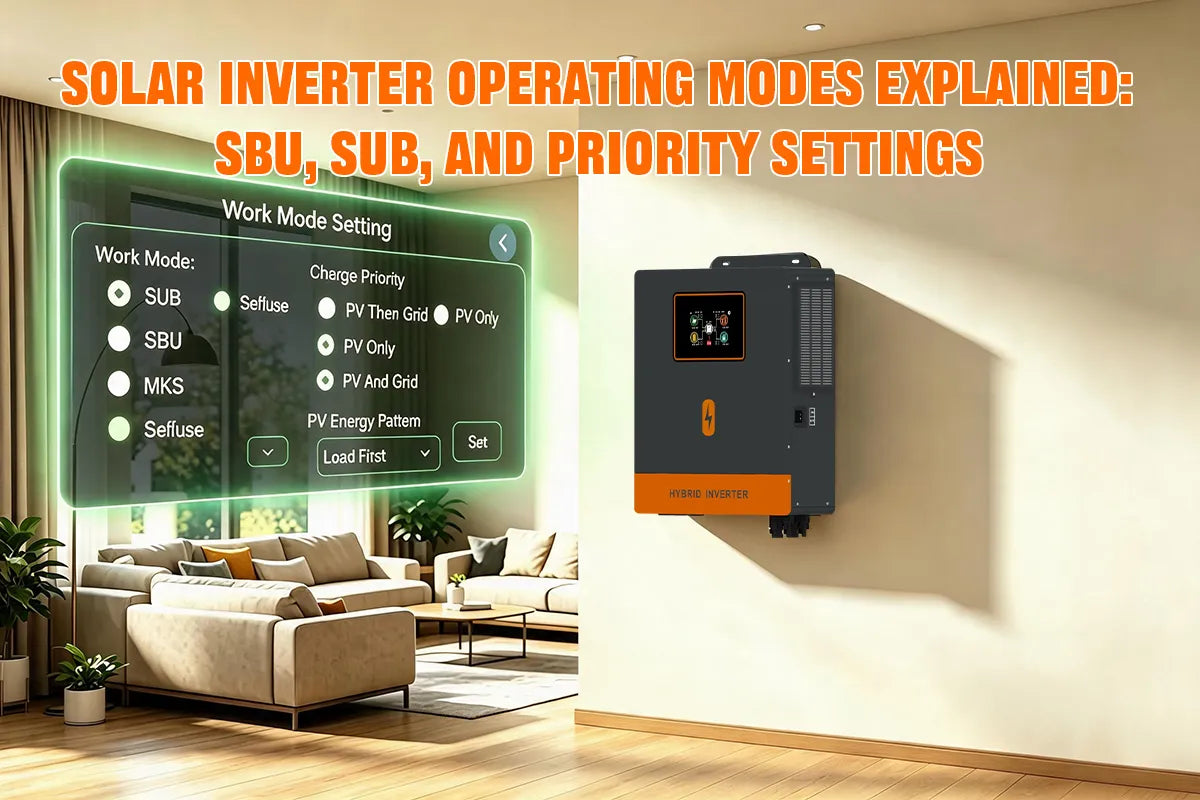
In this guide, we’ll explain common options like solar SBU model (Solar → Battery → Utility) and solar SUB model(Solar → Utility → Battery), what each mode means, when to use them, and how to configure the right hybrid solar inverter priority settings for your system.
What Are Solar Inverter Operating Modes?
Solar inverter operating modes define how a solar inverter manages and distributes power between different energy sources, including solar panels (PV), battery storage, and the utility grid. By selecting different operating modes, a solar inverter can determine which power source should be prioritized to supply household appliances, charge batteries, or provide backup power.
For example, when solar energy production is sufficient during the daytime, the inverter can prioritize solar power to run household loads and send excess energy to charge the battery. When solar generation decreases, the system can automatically switch to battery power or grid power depending on the selected solar inverter priority settings.
Common Solar Inverter Operating Modes
Different solar inverter operating modes are designed to meet different energy needs. The most common modes include:
1. SUB Mode Explained (Solar → Utility → Battery)
SUB mode is one of the most popular solar inverter operating modes for grid-connected home energy storage.
In SUB:
- Solar power supplies the household appliances first
- If solar is not enough, utility power supports the household appliances
- The battery is used last (mainly for backup, or when utility is unavailable)
SUB mode helps maximize daytime solar use while keeping the grid as the secondary source, which reduces unnecessary battery cycling. It is a practical choice for homeowners with a stable utility supply who still want to cut electricity costs with solar.
Best for: grid-connected home solar systems, areas with stable grids, and users who want to prioritize solar without heavily cycling the battery.
2. SBU Mode Explained (Solar → Battery → Utility)
SBU mode prioritizes solar power first, followed by stored battery energy, while using the utility grid only as a last resort.
In SBU:
- Solar power supplies the household appliances first
- When solar energy is insufficient, the battery energy storage system supports the household appliances
- If battery power drops too low, the system switches to utility power
When comparing SBU vs SUB solar inverter settings, SBU mode focuses on maximizing solar and battery use before relying on the grid. This makes it a suitable choice for hybrid solar inverter systems in areas with unstable grid power, or for users who want to reduce utility dependence and lower electricity costs.
Best for: off-grid-leaning homes, unstable grids, users with sufficient battery capacity, and systems focused on reducing grid consumption.
Other Priority Modes
Besides SBU and SUB modes, some solar inverters also offer other priority settings to manage power flow between solar, battery, and utility sources.
UTI Mode Explained (Utility → Solar/Battery Backup)
UTI mode (Utility Priority) prioritizes grid power as the main source for household loads. Solar and battery mainly act as backup support.
In UTI:
- Utility power supplies household appliances first
- Solar energy is typically used for battery charging or load support, depending on the inverter model
- When the utility grid fails, the system switches to solar and/or battery backup
UTI mode helps maintain a stable power supply in areas with reliable grid electricity and reduces frequent battery cycling. It is a practical choice for users who value continuity and battery lifespan over maximum grid-independence.
Best for:homes with stable utility power, users who want grid-first operation, and systems focused on backup readiness rather than daily self-consumption.
SOL Mode Explained (Solar → Utility → Battery)
SOL mode (Solar Priority) prioritizes solar power for household loads, while using the utility grid as the secondary source before relying heavily on the battery.
In SOL:
- Solar power supplies the household appliances first
- If solar is not enough, utility power supports the load
- The battery is generally reserved for backup, or used later according to the inverter’s battery settings
SOL mode helps maximize daytime solar use while keeping battery cycling lower than battery-first modes. On many hybrid inverters, SOL behaves similarly to SUB (Solar → Utility → Battery), although exact logic can vary by brand and firmware.
Best for: grid-connected home solar systems, areas with stable grids, and users who want solar-first operation without discharging the battery too aggressively.
Bypass Mode Explained (Utility → Load)
Bypass Mode is a common operating mode in hybrid solar inverters that allows utility power to directly supply household loads without using the inverter’s battery or DC conversion function.
For example, the PowMr 12KW 48Vdc hybrid inverter (SKU: POW-SunSmart LVM12K) supports both utility bypass and inverter output modes, allowing users to switch between direct grid power supply and inverter-based power output according to system conditions.
In Bypass Mode:
- Utility power directly supplies household appliances
- The inverter bypasses battery discharge and DC-to-AC conversion
- The battery remains available for backup power when the grid fails
This mode helps reduce unnecessary battery cycling and improves battery lifespan when grid power is stable. When a utility outage occurs, the inverter can switch back to inverter output mode to provide backup power from solar energy or the battery system.
Common Priority Mode Misconceptions
Many users assume that unexpected grid use means the inverter is charging incorrectly—or that “solar first” should completely block utility power. In most cases, the behavior comes from output source priority, not charging current.
Misconception 1: “Solar first” means the system will never use the grid.
“Solar first” only means PV is the top priority. What happens next depends on the mode:
- In SUB model (Solar → Utility → Battery), if solar energy is not enough, the inverter draws utility power before using the battery. So the system can still pull grid electricity even though solar is prioritized.
- In SBU model (Solar → Battery → Utility), if solar is not enough, the inverter uses the battery first, and only switches to the grid when battery capacity or voltage drops too low.
Misconception 2: Sudden switching from battery to utility means something is wrong.
In SBU mode, this switch is often normal. When solar cannot cover the load and the battery reaches its low-voltage or low-SOC protection point, the inverter automatically moves to utility power to protect the battery and keep loads running. Large load spikes can also trigger this handoff more quickly.
Misconception 3: Charging current settings control which source powers the home.
Charging current mainly affects how fast the battery charges. Which source supplies household loads is controlled by operating mode / energy priority settings (SUB, SBU, utility priority, etc.).
How to Set Inverter Priority Settings?
Setting inverter priority settings determines whether home loads use solar power (PV), battery storage, or utility power first. Different inverter models may have different menu names and settings. Below, we use the PowMr 6KW 48V 110/240Vac Split Phase All in One Inverter (SKU: POW-LVM6K-SP) as an example to explain how to set solar inverter operating modes.
Step 1: Enter the Inverter Settings Menu
Turn on the inverter and access the settings interface through the LCD control panel.
- Press and hold the ENTER button to enter the setup menu.
- Use the UP/DOWN buttons to navigate through the settings.
- Press ENTER to confirm changes.
Step 2: Select Output Source Priority
Find the Output Source Priority option and select the suitable hybrid solar inverter operating mode according to your application:

| Mode | Power Priority | Recommended Application |
|---|---|---|
| SBU Mode | Solar → Battery → Utility | Off-grid solar systems and backup power |
| SUB Mode | Solar → Utility → Battery | Grid-connected home solar systems |
| Utility Priority Mode | Utility → Solar/Battery Backup | Areas with stable grid power |
Step 3: Adjust Battery Protection Settings
After selecting the inverter priority mode, configure battery parameters based on your battery type and system requirements.
Common settings include:
- Battery low voltage protection point
- Charging priority settings
- Battery charging and discharging parameters
Proper settings help prevent over-discharge and extend LiFePO4 battery lifespan in a solar energy storage system.
Step 4: Save Settings and Test the System
After completing the setup:
- Save the inverter settings.
- Check the LCD display to confirm the active power source.
- Test switching between solar, battery, and utility power.